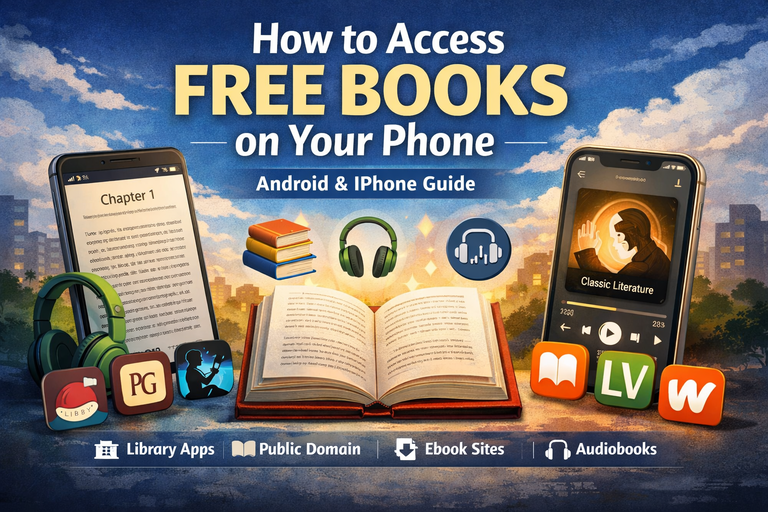
How to Access Free Books on Your Phone (Android & iPhone Guide)
Reading books on your phone has become one of the simplest and most cost-effective ways to learn, relax, and stay informed. Whether you’re into novels, biographies, self-help, academic texts, comics, or audiobooks, your smartphone can function as a powerful digital library. Even better, you don’t need to spend money there are many legal and safe ways to access free books on both Android and iPhone.
This guide walks you through everything you need to know: the best apps, websites, step-by-step methods, and practical tips to help you build your own free mobile library.
Why Read Books on Your Phone?
Mobile reading is growing rapidly for good reason:
Convenience
Your phone is always with you, so you can read anywhere—on a bus, during breaks, or before bed.
Free Access
Many platforms offer free ebooks and audiobooks legally through libraries or public domain collections.
Portability
Carry thousands of books without extra weight.
Accessibility
Adjust font size, brightness, background color, or even use text-to-speech features.
Smart Features
Bookmark pages, highlight text, search within books, and sync across devices.
Types of Free Books Available
Understanding what kind of books you can access helps you choose the best method.
1. Public Domain Books
These are books whose copyrights have expired.
Examples:
- Classic novels
- Philosophy texts
- Historical literature
- Poetry
- Religious writings
2. Library Books
Modern books you can borrow digitally using a library card.
Examples:
- Bestsellers
- New fiction
- Self-help books
- Academic materials
3. Promotional Free Books
Authors sometimes release books for free temporarily to gain readers.
4. Open Educational Resources
Free textbooks and academic materials shared by institutions and organizations.
5. App-Based Libraries
Some apps host free stories, comics, and serialized content.
Best Ways to Access Free Books on Your Phone
Method 1: Use Public Library Apps
Library apps are the best way to access modern books legally for free.
Top apps include:
- Libby
- Hoopla
- BorrowBox
- CloudLibrary
How to Use Libby
- Download Libby from your app store
- Select your library
- Enter your library card
- Browse and borrow books
- Read or listen inside the app
Why it’s great:
- Clean interface
- Offline reading
- Audiobook support
- Sync across devices
How to Use Hoopla
- Install Hoopla
- Sign up with your email
- Link your library card
- Borrow instantly
Best for:
Ebooks, audiobooks, comics, and more often without waitlists.
Method 2: Use Public Domain Websites
Public domain books are completely free forever.
Top platforms:
- Project Gutenberg
- Standard Ebooks
- Internet Archive
- ManyBooks
How to Use Project Gutenberg
- Open your browser
- Search for a book
- Download in EPUB or read online
- Open in your reading app
Why Use Standard Ebooks?
- Better formatting
- Clean typography
- Optimized for mobile reading
Method 3: Use Built-In Reading Apps
For iPhone
- Apple Books
How to use:
- Browse free books in the store
- Import EPUB files
- Organize your library easily
For Android
- Google Play Books
Features:
- Upload EPUB/PDF
- Sync across devices
- Offline reading
Cross-Platform Reading Apps
These work on both Android and iPhone:
- Kindle
- Kobo Books
- Adobe Acrobat Reader
- PocketBook Reader
- FBReader
Method 4: Use Free Kindle Books
The Kindle app offers many free books.
Steps:
- Install Kindle
- Sign in with Amazon
- Search “free Kindle books”
- Add to your library
What you’ll find:
- Free classics
- Indie books
- First books in series
Method 5: Read Directly from Websites
You don’t always need apps.
Good mobile-friendly platforms:
- Open Library
- Wattpad
- Google Books
Best for:
- Casual reading
- Discovering new writers
- Rare or older texts
Method 6: Access Free Audiobooks
If you prefer listening:
Top options:
- LibriVox
- Libby
- Hoopla
Why LibriVox?
- Free public domain audiobooks
- Download or stream
- No subscription required
Android Guide: Quick Setup
- Install Google Play Books or ReadEra
- Install Libby
- Bookmark Project Gutenberg
- Download EPUB files
- Open them in your reader
Advantages:
- Flexible file handling
- Wide app choices
iPhone Guide: Quick Setup
- Open Apple Books
- Install Libby
- Use Safari to download EPUB files
- Tap “Open in Books”
- Organize into collections
Advantages:
- Smooth integration
- Clean reading interface
How to Open Book Files
EPUB (Best choice)
Works perfectly on most apps.
PDF
Good for textbooks but less flexible.
MOBI/AZW
Best used in Kindle.
HTML
Read instantly in your browser.
Tips for Better Reading Experience
- Increase font size
- Use dark or sepia mode
- Download for offline reading
- Organize your library
- Highlight important sections
- Turn off notifications while reading
Free Academic Books on Your Phone
Great platforms include:
- OpenStax
- Saylor Academy
- Open Textbook Library
Perfect for students and researchers.
Stay Safe When Downloading Free Books
- Use trusted platforms only
- Avoid suspicious download buttons
- Don’t install unknown apps
- Stick to official app stores
- Respect copyright laws
Best Strategy for a Free Mobile Library
Combine these tools:
Modern books:
Use Libby
Classics:
Use Project Gutenberg + Standard Ebooks
Reading apps:
Use Apple Books (iPhone) or Google Play Books (Android)
Audiobooks:
Use Libby + LibriVox
Bonus books:
Use Kindle
Final Thoughts
Accessing free books on your phone is easier than ever. With just a few apps and trusted websites, you can unlock thousands of books from modern bestsellers to timeless classics without spending a single naira.
Start simple: install one reading app, one library app, and bookmark a couple of free book sites. Once you set things up, your phone becomes more than just a device it becomes a powerful personal library.
A great book is always within reach when it lives in your pocket.
Quick Start Checklist
Android
- Install Libby
- Install Google Play Books
- Bookmark Project Gutenberg
- Install Kindle
- Try LibriVox
iPhone
- Open Apple Books
- Install Libby
- Bookmark free book sites
- Install Kindle
- Try LibriVox or Hoopla