How to Download Educational Books Safely Without Malware
Access to educational books has become easier than ever with the rise of digital libraries, online bookstores, and learning platforms. However, this convenience also comes with serious risks. Many students unknowingly download infected files from unsafe websites, exposing their devices to malware, identity theft, and data corruption.
This guide explains how to safely download educational books while protecting your device, your data, and your academic work.
1. Use Legitimate and Trusted Sources
The safest way to download educational books is to rely on verified and reputable platforms. These services have strict security systems, file verification processes, and legal licensing agreements that reduce the risk of malware.
Trusted Educational Book Sources
-
Amazon Kindle Store
Visit Amazon Kindle -
Google Play Books
Google Play Books -
Apple Books
Apple Books -
Kobo
Kobo -
Coursera
Coursera -
edX
edX -
OpenStax
OpenStax -
Project Gutenberg
Project Gutenberg -
Internet Archive
Internet Archive -
Libby / OverDrive
Libby App -
Hoopla Digital
Hoopla
If a website offers expensive, newly released textbooks completely free without explanation, it is often unsafe or illegal.
2. Verify Website Security Before Downloading
Before downloading any ebook:
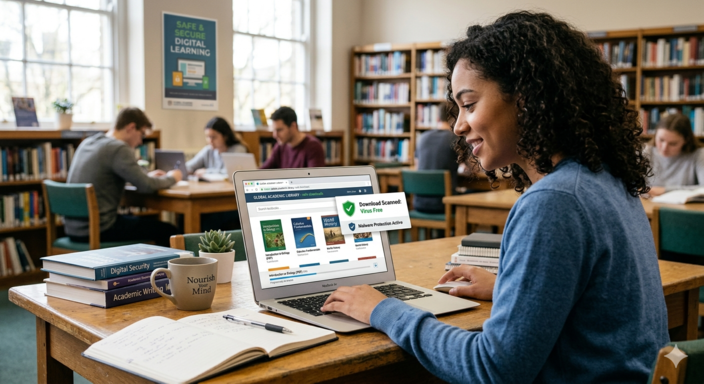
- Ensure the website uses HTTPS (padlock icon in the browser).
- Confirm the domain name is spelled correctly (watch for fake sites like “arnazon.com†instead of “amazon.comâ€).
- Check for a valid privacy policy and contact information.
- Look for independent user reviews or platform ratings.
Red flags include:
- Excessive pop-up ads
- Random redirects to unknown pages
- Requests to disable antivirus software
- Forced installation of “download managersâ€
3. Avoid “Too-Good-To-Be-True†Free Download Sites
Many malicious websites attract users with phrases like:
- “Download any textbook for freeâ€
- “No registration requiredâ€
- “Instant PDF downloadâ€
These platforms often:
- Install spyware or ransomware
- Hide malware inside fake PDF files
- Use phishing forms to steal login or banking information
A simple rule applies: If it sounds too good to be true, it usually is.
4. Use Antivirus and Anti-Malware Protection
Even when using trusted platforms, device protection is essential.
Recommended safety practices:
- Install reputable antivirus software
- Enable real-time protection
- Keep antivirus definitions updated
- Scan every downloaded file
- Use a firewall for added protection
Security tools act as your first line of defense against hidden threats in downloaded files.
5. Check File Formats Carefully
Safe ebook formats include:
- EPUB
- MOBI
- AZW
Be cautious of:
-
.exe,.bat,.scrfiles disguised as ebooks - ZIP files from unknown sources
- Documents requesting “macro enablementâ€
A legitimate ebook will never require you to run an executable program.
6. Keep Your Device and Software Updated
Outdated systems are easier targets for hackers.
Always ensure:
- Operating system is updated
- Browser is updated
- PDF readers and ebook apps are current
- Security patches are installed promptly
Updates often fix vulnerabilities that cybercriminals exploit.
7. Use Official Apps Instead of Random Download Links
Instead of downloading books from unknown websites, use verified applications:
- Amazon Kindle
- Apple Books
- Google Play Books
These platforms:
- Verify content before distribution
- Protect users from malicious files
- Offer secure cloud syncing and backups
8. Protect Your Personal Information Online
When signing up on ebook platforms:
- Use strong, unique passwords
- Avoid reusing passwords across sites
- Enable two-factor authentication
- Do not share sensitive personal or financial data unnecessarily
- Use a secondary email for new or unknown platforms
Phishing scams often target students searching for free educational materials.
9. Explore Free and Legal Educational Alternatives
Instead of unsafe downloads, consider legitimate free learning resources:
- Open Educational Resources (OER)
- Public domain books
- University-provided digital libraries
- Library lending systemsDiscounted or rental textbooks
Many institutions also collaborate with publishers like:
- Pearson
- McGraw Hill
-
Oxford University Press
Oxford University Press
These partnerships often provide legal access to high-quality academic materials.
10. Recognize Signs of Malware Infection
If a download is unsafe, your device may show:
- Slow performance or overheating
- Frequent pop-up ads
- Unknown apps appearing suddenly
- Browser redirects
- Disabled security software
What to do immediately:
- Disconnect from the internet
- Run a full antivirus scan
- Uninstall suspicious programs
- Reset browser settings
- Seek technical support if needed
Final Thoughts
Downloading educational books safely requires a combination of trusted sources, careful browsing habits, and strong cybersecurity practices.
While free downloads from unknown websites may seem attractive, the risks malware infection, data theft, and legal consequences are not worth it.
By using verified platforms like Kindle, Google Play Books, OpenStax, Coursera, and digital library apps, you can access high-quality educational materials safely and legally.
Quick Safety Checklist
- ✅ Use trusted platforms only
- ✅ Check HTTPS security
- ✅ Avoid suspicious “free download†sites
- ✅ Keep antivirus active and updated
- ✅ Use official ebook apps
- ✅ Keep your system updated
Safe downloading is not just about protecting your device it is about protecting your education, your privacy, and your digital identity.