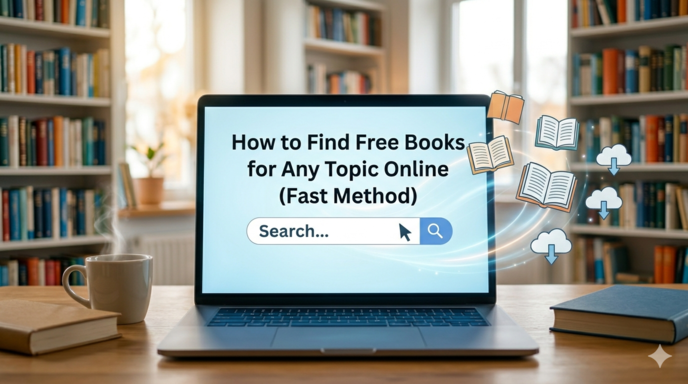
How to Find Free Books for Any Topic Online (Fast & Legal Methods)
Looking for free books online can feel overwhelming. Millions of books are spread across digital libraries, archives, university databases, online communities, and search engines. Without a clear system, you can waste hours clicking through irrelevant or unsafe websites.
The good news is that finding high-quality free books online is much easier when you know the right method.
Whether you want books about business, psychology, science, history, technology, fiction, finance, self-improvement, or academic research, there are fast and reliable ways to locate them legally and safely.
This guide explains the best strategies, tools, and shortcuts to help you find free books online in minutes.
Why Most People Struggle to Find Free Books
Most people search the wrong way.
They type broad phrases like:
“free books onlineâ€
or
“download business booksâ€
This usually leads to:
- Spam-filled websites
- Fake download pages
- Pirated content
- Poor-quality PDFs
- Endless redirects
The secret is not searching harder it’s searching smarter.
Once you know:
- where to search,
- how to filter results,
- and which websites are trustworthy,
finding books becomes fast and effortless.
Step 1: Use Smart Google Search Techniques
Google is still one of the fastest tools for finding books online but only if you use advanced search methods.
Instead of broad searches, use targeted search operators.
✅ Use “filetype:†to Find Downloadable Books
This is one of the fastest methods available.
Example:
psychology book filetype:pdf
This tells Google to display only PDF files related to psychology books.
You can also search other formats:
filetype:epub
filetype:mobi
filetype:txt
Best Uses
- Academic books
- Research materials
- Public domain books
- Open textbooks
- Manuals and guides
✅ Use “site:†to Search Trusted Sources
The site: operator lets you search within a specific website or domain.
Examples:
site:archive.org philosophy books
site:gutenberg.org literature
site:.edu economics textbook pdf
This strategy works because it filters out low-quality websites and focuses only on trusted platforms.
Why It’s Effective
-
.edudomains often contain university-published textbooks - Archive sites host legal public-domain content
- You avoid spam and misleading download sites
✅ Use Quotation Marks for Exact Titles
If you already know the name of a book, quotation marks help narrow results instantly.
Example:
"Thinking, Fast and Slow" pdf
Google will search for that exact phrase instead of separate keywords.
This is especially useful for:
- Specific books
- Research papers
- Rare publications
- Exact editions
✅ Combine Operators for Better Results
You can combine search operators for highly targeted results.
Example:
"behavioral economics" filetype:pdf site:.edu
This finds PDF documents about behavioral economics only from educational institutions.
This method dramatically improves search accuracy.
Step 2: Use Free Digital Libraries (The Fastest Reliable Method)
Instead of searching randomly across the internet, go directly to trusted digital libraries.
These websites legally host millions of free books.
1. Project Gutenberg
One of the oldest and most trusted free book libraries online.
What It Offers
- Over 70,000 free books
- Public-domain classics
- Multiple download formats
- No registration required
Best For
- Literature
- Philosophy
- History
- Classical education
- Older science texts
Popular Formats
- EPUB
- Kindle
- HTML
- Plain text
2. Internet Archive
The Internet Archive is one of the most powerful resources for free books online.
What You’ll Find
- Millions of books
- Scanned originals
- Historical texts
- Academic works
- Textbooks
- Magazines
- Research archives
Features
- Online reading
- Borrowing system
- Public-domain downloads
- Advanced filters
Pro Tip
After searching:
- Select Media Type → Texts
-
Sort by:
- Most Viewed
- Date Published
- Relevance
This quickly surfaces the best resources.
3. Google Books
Google Books is excellent for discovering:
- Public-domain books
- Book previews
- Academic references
- Older publications
How to Find Free Books
After searching:
- Click Tools
- Choose Any Books
- Select Free Google eBooks
4. Open Library
Operated by the Internet Archive, Open Library works like a digital public library.
Features
- Borrow modern books legally
- Search by subject
- Read online
- Create a free borrowing account
Great For
- Fiction
- Modern non-fiction
- Educational materials
5. Directory of Open Access Books (DOAB)
DOAB specializes in open-access academic books.
Best For
- University-level materials
- Research books
- Scholarly publications
- Peer-reviewed content
Ideal Subjects
- Economics
- Sociology
- Political science
- Technology
- Education
Everything on the platform is legally accessible.
Step 3: Use University Resources
Many universities publish free educational materials online.
These resources are often more reliable than random websites.
Search for Open Textbooks
Use this Google search:
intitle:"open textbook" biology
This helps you find complete textbooks made freely available by institutions.
Best University Learning Platforms
OpenStax
Provides free college textbooks for:
- Biology
- Chemistry
- Economics
- Mathematics
- Physics
- Business
Excellent for students and self-learners.
MIT OpenCourseWare
Offers:
- Course notes
- Lecture materials
- Reading lists
- Textbook recommendations
Great for advanced learners.
Saylor Academy
Includes:
- Free courses
- Reading materials
- Open textbooks
- Study guides
Useful for independent education.
Step 4: Use Reddit and Online Communities
Reddit is surprisingly useful for finding book recommendations and hidden resources.
Search Google like this:
site:reddit.com free books psychology
This often leads to curated discussions and recommendations.
Helpful Subreddits
These communities regularly share:
- Legal book sources
- Public-domain collections
- Free promotions
- Educational resources
Always verify that shared content is legally distributed.
Step 5: Use Amazon for Free Kindle Books
Many people forget that Amazon has thousands of free books.
How to Find Them
- Open the Kindle Store
-
Sort by:
Price: Low to High
You’ll find:
- Free classics
- Promotional books
- Beginner guides
- Independent author releases
No Kindle Device Needed
You can read books using the free:
Step 6: Check Author Websites
Many authors give away free content to attract readers.
Common freebies include:
- Starter books
- First chapters
- Bonus PDFs
- Full promotional ebooks
Search:
author name free ebook
This is especially common in:
- Business
- Self-help
- Marketing
- Fiction series
- Entrepreneurship
Step 7: Use Public Library Apps
Public libraries now offer massive digital collections.
All you usually need is a library card.
Best Library Apps
Libby
One of the best apps for:
- eBooks
- Audiobooks
- New releases
- Bestsellers
OverDrive
Provides digital borrowing through libraries worldwide.
Hoopla
Offers:
- Books
- Audiobooks
- Comics
- Movies
- Educational content
The 5-Minute Fast Method (Quick Summary)
If you want the fastest possible approach, follow this exact process:
Step 1
Go to:
Step 2
Search your topic.
Example:
behavioral economics
Step 3
Filter results:
- Media Type → Texts
Step 4
Sort by:
- Most Viewed
- Date Published
Step 5
Read online, borrow, or download.
If You Still Can’t Find It
Use Google:
your topic filetype:pdf site:.edu
Then check:
This method works for most academic and educational topics.
Important: Stay Legal and Safe
Not every “free book†website is trustworthy.
Avoid websites that:
- Ask for credit card details
- Redirect endlessly
- Force suspicious downloads
- Offer brand-new bestselling books illegally
If something feels suspicious, leave immediately.
Stick to Trusted Sources
The safest options are:
- Public-domain libraries
- Open-access publishers
- University platforms
- Public libraries
- Author-approved giveaways
These sources are legal, reliable, and secure.
Bonus: Finding Free Audiobooks
If you prefer listening instead of reading, there are excellent free audiobook sources.
LibriVox
Features:
- Public-domain audiobooks
- Volunteer narrators
- Classic literature
Completely free.
Spotify
Search directly for:
- Audiobooks
- Public-domain works
- Educational audio content
Many classic books are available legally.
YouTube
Many channels legally upload:
- Public-domain audiobooks
- Educational readings
- Literature discussions
Best for classic literature and lectures.
Libby
Excellent for borrowing modern audiobooks through libraries.
Best Types of Books to Find Free Online
Some categories are easier to find legally than others.
Easier to Find
- Classic literature
- Academic textbooks
- Public-domain books
- Open-access research
- Historical works
- Educational materials
Harder to Find Legally
- New bestselling books
- Recently published textbooks
- Premium business books
- Paid professional certifications
For newer books, library borrowing is often the best option.
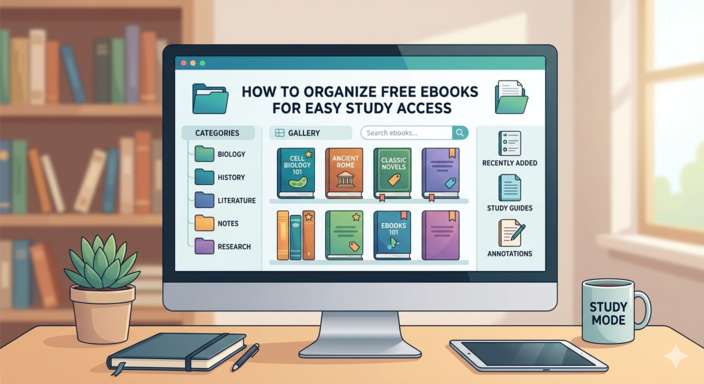
Tips to Build Your Own Free Digital Library
Once you start finding good resources, organize them properly.
Use Cloud Storage
Store books using:
- Google Drive
- Dropbox
- OneDrive
This keeps your collection accessible everywhere.
Organize by Topic
Create folders such as:
- Business
- Psychology
- Finance
- Technology
- Literature
- Research
This saves time later.
Use an eBook Reader App
Good reading apps improve focus and organization.
Popular choices include:
- Kindle
- Google Play Books
- Apple Books
- Moon+ Reader
Final Thoughts
Finding free books online is no longer difficult once you understand the system.
The key is to:
- Search intelligently
- Use trusted digital libraries
- Leverage university resources
- Explore library apps and online communities
The fastest method is usually:
- Internet Archive
- Google advanced search
- Open-access educational platforms
With the right strategy, you can build an entire digital library without spending money.
And once you master these techniques, finding books on virtually any topic becomes fast, easy, and reliable.
Happy reading. 📚