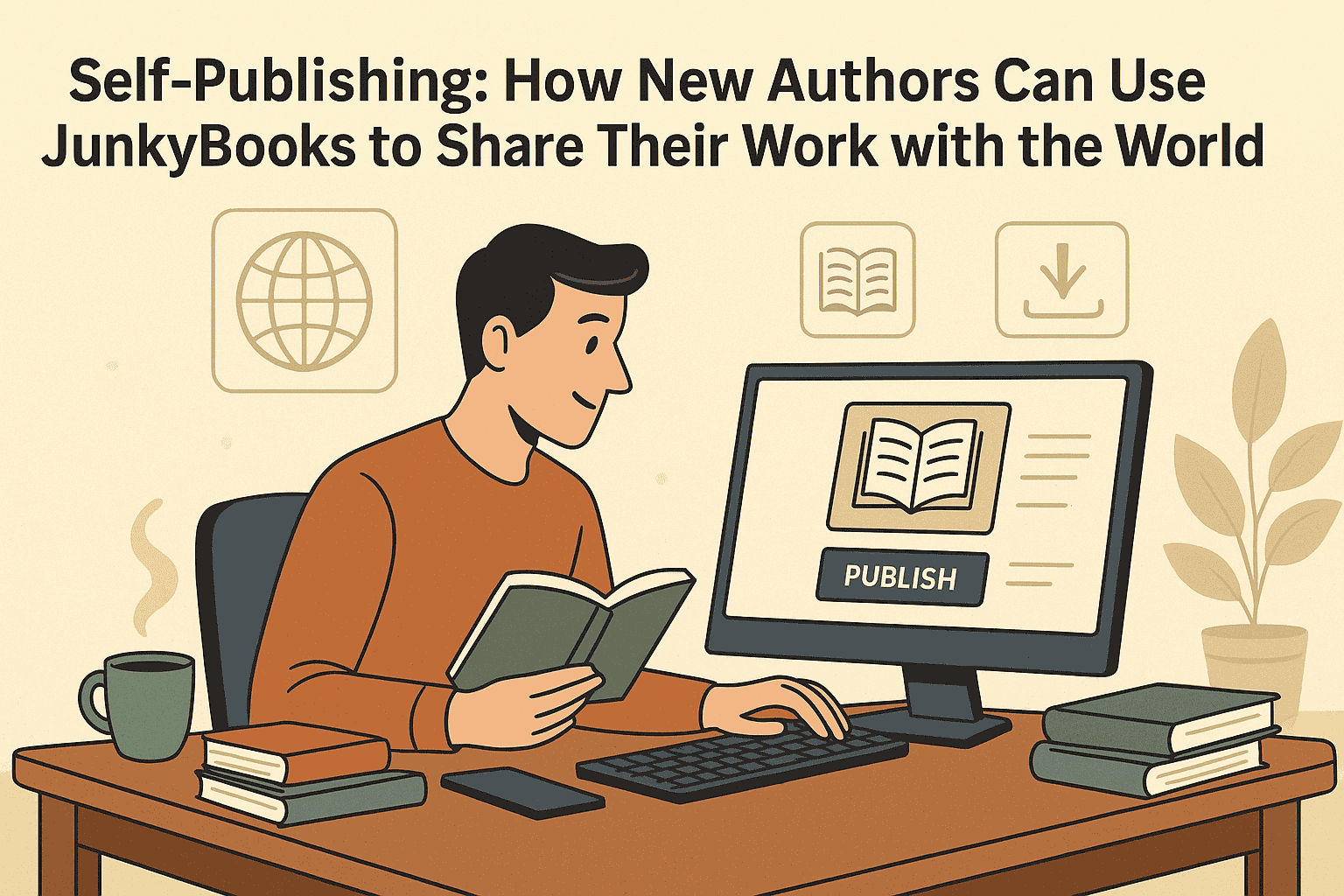
Writing Your First Ebook? A Step-by-Step Guide to Publishing for Free on JunkyBooks
Introduction: Your First Ebook Starts Here
If you’ve ever thought, “One day I’ll write a book,” this is your sign.
You don’t need a traditional publisher, a big budget, or special connections to get your work in front of real readers. Thanks to digital platforms like JunkyBooks, you can:
-
Turn your ideas into a finished ebook
-
Publish it online for free
-
Let readers download or read it directly from their browser
-
Start building your identity as an author from day one
In this guide, we’ll walk through everything you need:
-
Planning and writing your first ebook
-
Formatting and preparing it for digital reading
-
Creating a cover and final files
-
Uploading and publishing for free on JunkyBooks
-
Promoting your ebook and growing your audience
Whether you want to write fiction, a how-to guide, a motivational book, or a short educational resource, this step-by-step process will help you go from “idea” to “published.”
1. Decide What Your Ebook Will Be About
Before you open a blank document, you need a clear direction.
1.1 Choose a Focused Topic
Ask yourself:
-
What do I know well enough to teach or share?
-
What story or message won’t leave my mind?
-
What problem do I want to help readers solve?
For non-fiction, examples include:
-
“A Student’s Guide to Study Skills That Actually Work”
-
“Beginner’s Guide to Freelancing from Home”
-
“Simple Recipes for Busy Parents on a Budget”
For fiction, examples include:
-
“A romance story set in Lagos during a music festival”
-
“A sci-fi novella about a world where memories are rented”
-
“A collection of short stories about everyday heroes”
The more specific your idea, the easier it is to write and the easier it is for readers to know if the book is for them.
1.2 Define Your Audience
Your ebook will be stronger if you know exactly who you’re writing for:
-
Teens? Young adults? Professionals? Parents? Students?
-
Beginners in a skill or advanced learners?
-
People in a specific region or culture?
Write one or two sentences:
“This ebook is for ___ who want to ___.”
Example:
“This ebook is for recent graduates who want to learn how to create a professional resume and find their first job.”
Keep this sentence visible while you write. It will guide your tone, examples, and level of detail.
2. Plan Your Ebook: Outline First, Write Second
Jumping straight into writing often leads to confusion and writer’s block. A simple outline will save you time.
2.1 Create a Chapter Structure
Open a document and list possible chapters as headings. For example, a non-fiction ebook might look like this:
-
Introduction: Why This Topic Matters
-
Chapter 1: Understanding the Basics
-
Chapter 2: Tools You Need
-
Chapter 3: Step-by-Step Process
-
Chapter 4: Common Mistakes to Avoid
-
Chapter 5: Advanced Tips
-
Conclusion & Next Steps
-
Resources and Links
For fiction:
-
Chapter 1: Opening Scene & Main Character
-
Chapter 2: The Problem Appears
-
Chapter 3: Rising Tension
-
Chapter 4: Major Turning Point
-
Chapter 5: Climax
-
Chapter 6: Resolution
You don’t need to know every detail yet—just the key beats.
2.2 Set a Realistic Word Count
Decide how long you want your ebook to be:
-
Short guide: 3,000–7,000 words
-
Medium ebook: 8,000–20,000 words
-
Longer book/novella: 20,000+ words
For your first ebook, shorter is often better. You’ll learn the process faster and finish with enough energy to promote it.
3. Write the First Draft (Without Editing Too Much)
Now it’s time to write.
3.1 Choose Your Writing Tool
Use whatever you’re comfortable with:
-
Microsoft Word
-
Google Docs
-
LibreOffice Writer
-
Any text editor that lets you save as .docx or .pdf
Make sure you save your work frequently and consider using cloud storage so you don’t lose anything.
3.2 Write in Simple, Clear Language
Especially for non-fiction:
-
Use short paragraphs (2–4 lines).
-
Break up text with headings, bullet points, and numbered lists.
-
Explain technical words when you first use them.
For fiction:
-
Focus on scenes and dialogue that move the story forward.
-
Show what characters feel and do, instead of just telling.
-
Keep chapters relatively short to suit digital reading.
3.3 Don’t Aim for Perfection in the First Draft
Your first draft does not have to be flawless. The goal is to:
-
Get your ideas down
-
Reach the end
-
Prove to yourself that you can finish a book
You will improve everything in the next steps.
4. Edit, Revise, and Polish Your Ebook
Once you have a full draft, editing turns it into a book readers will enjoy.
4.1 Take a Short Break
If you can, leave your manuscript for a few days:
-
This helps you come back with fresh eyes.
-
You’ll notice mistakes and weak sections more easily.
4.2 Start with Big-Picture Edits
Look at:
-
Structure: Do the chapters flow logically? Does the story or guide make sense from start to finish?
-
Repetition: Are you repeating the same ideas too often?
-
Clarity: Is any chapter confusing or off-topic?
You may need to:
-
Rearrange chapters
-
Combine or split sections
-
Add transitions between ideas
4.3 Move to Sentence-Level Edits
Now fix smaller issues:
-
Grammar and typos
-
Long, confusing sentences
-
Inconsistent tenses (especially in fiction)
-
Overused words and phrases
Read your work out loud—this is one of the fastest ways to catch awkward wording.
4.4 Ask for Feedback
If possible, share your draft with:
-
A friend who reads a lot
-
Someone from your target audience
-
A teacher, mentor, or colleague
Ask specific questions:
-
“Which part was the most interesting?”
-
“Where did you feel confused or bored?”
-
“Does the book deliver what the title promises?”
Use their feedback to improve the manuscript, then do one final proofread.
5. Format Your Ebook for Digital Reading
Readers on JunkyBooks will probably use:
-
Phones
-
Tablets
-
Laptops
So your ebook must look good on screens.
5.1 Basic Formatting Rules
In your document:
-
Use a clean, readable font (e.g., Arial, Times New Roman, Calibri).
-
Keep font size around 11–12 pt for body text.
-
Use Heading styles (Heading 1, Heading 2, etc.) for titles and subheadings.
-
Maintain consistent spacing between paragraphs and sections.
-
Avoid fancy borders, extreme colors, or complex layouts that won’t display well.
5.2 Create a Table of Contents
In Word or Google Docs, you can insert an automatic Table of Contents based on your heading styles. This helps readers:
-
Navigate the book
-
Jump to sections they care about most
This is especially useful in non-fiction.
5.3 Add Front and Back Matter
Consider adding:
Front matter:
-
Title page (Book title, subtitle, author name)
-
Copyright notice (stating you own the content)
-
Optional dedication or preface
Back matter:
-
“About the Author” section
-
Links to your website or social media
-
Invitation to check out your other books or future projects
5.4 Export to PDF
Most self-published ebooks on free platforms like JunkyBooks work great as PDFs because they:
-
Preserve your layout
-
Look the same on different devices
-
Are easy to download and share
From Word/Docs, choose File → Download/Save As → PDF.
Check the PDF to make sure:
-
Page breaks are correct
-
Images (if any) are clear
-
The table of contents works (if you used clickable links)
6. Design a Simple, Professional Cover
Even for a free ebook, the cover matters a lot. It’s the first thing readers see when scrolling.
6.1 What Makes a Good Cover?
-
Clear title and author name
-
High contrast between background and text
-
Visuals that match the genre (e.g., bright colors for self-help, darker tones for thrillers)
-
Works at small sizes (thumbnail view)
6.2 Easy Tools for Beginners
You can use tools like:
-
Canva
-
Photopea
-
Any basic image editor
Start with a template if you’re not a designer. Replace the text and images with your own.
Export the final cover as JPG or PNG in a landscape or portrait orientation that looks good as a thumbnail.
7. Create Your Free Author Account on JunkyBooks
Now your ebook is ready—it’s time to get it onto JunkyBooks.com.
7.1 Sign Up or Log In
-
Visit JunkyBooks.com in your browser.
-
Create a free account or log in if you already have one.
-
Go to your profile or dashboard area.
Look for an option like “Publish,” “Upload Book,” or “Add New Book.”
8. Upload and Publish Your Ebook for Free on JunkyBooks
This is where your book becomes available to readers.
8.1 Prepare Your Upload Materials
Have these files and details ready:
-
Final PDF of your ebook
-
Cover image (JPG/PNG)
-
Book title and subtitle
-
Short and long description
-
Categories and tags/keywords
8.2 Add Basic Book Information
On the upload form:
-
Enter your title exactly as you want it displayed.
-
Add your subtitle if you have one.
-
Fill in your author name or pen name.
8.3 Write a Strong Book Description
Your description is what persuades readers to click “Read” or “Download.”
Structure it like this:
-
Hook (1–3 lines) – Grab attention.
-
Who it’s for – Identify the reader.
-
What they’ll gain – Benefits, not just topics.
-
Call-to-action – Tell them to read or download.
Example (for a study guide ebook):
Struggling to stay focused while studying?
“Study Smarter, Not Harder” is a practical guide for students who want better grades without burning out. You’ll learn simple methods for managing your time, taking effective notes, and remembering more in less time.
If you’re in high school, college, or preparing for exams, this free ebook will show you exactly how to build a study system that works.
Read it free on JunkyBooks and start studying smarter today.
Include natural keywords like “free ebook,” “guide,” “for students,” “for beginners,” etc., but keep it human and readable.
8.4 Choose Categories and Tags
Select relevant categories so JunkyBooks can place your book in the right shelves (e.g., Fiction, Self-Help, Education, Business, Romance, etc.).
Then add tags/keywords such as:
-
“free ebook for students”
-
“career guide”
-
“short stories”
-
“self-improvement”
-
“African fiction”
These help users find your book through search and filters.
8.5 Upload Files and Set Free Access
-
Upload your PDF file.
-
Upload your cover image.
-
Ensure that the book is set to be free to read/download, in line with the JunkyBooks model.
Once everything looks good, click Publish (or the equivalent button).
9. Check Your Book Page Like a Reader
After publishing:
-
Visit your ebook’s public page.
-
Confirm that:
-
The cover displays correctly.
-
The title and author name are correct.
-
The description is properly formatted.
-
The file opens and can be read or downloaded.
-
If something is wrong, go back to your dashboard and edit the book details or re-upload the file.
10. Promote Your Free Ebook to Get Your First Readers
Publishing is step one. Promotion brings your book to life.
10.1 Share the Link on Social Media
Post your JunkyBooks link on:
-
Facebook
-
Instagram (with a cover image and a short caption)
-
X / Twitter
-
LinkedIn (especially for professional or educational ebooks)
-
WhatsApp and Telegram groups (if it’s relevant and not spammy)
Sample caption:
I just published my first ebook on JunkyBooks! 🎉
It’s completely free to read and download: [link]
If you’re interested in [topic/genre], I’d love your feedback and support.
10.2 Use Your Existing Network
Send the link to:
-
Friends and family
-
School or university groups
-
Colleagues and mentors
Ask them to:
-
Read the book
-
Share it with others
-
Leave a review if JunkyBooks supports ratings/comments
10.3 Add the Ebook to Your Email Signature and Profiles
Include a line such as:
“Download my free ebook on [topic] on JunkyBooks: [link]”
Add this to:
-
Your email signature
-
Your social media bios
-
Your personal website or blog
10.4 Invite Readers to Stay Connected
Inside the ebook (especially at the end), invite readers to:
-
Follow you on social media
-
Subscribe to your newsletter
-
Visit your website or blog
This way, your free ebook becomes a bridge to long-term relationships with your audience.
11. Improve and Update Your Ebook Over Time
One advantage of digital publishing is that you can update your book whenever you want.
11.1 Pay Attention to Reader Feedback
If readers mention:
-
Confusing sections
-
Typos
-
Topics they’d like more detail about
Use that feedback to create an improved edition. Update the PDF and upload the new version to JunkyBooks.
11.2 Expand Your Ebook or Create a Series
If your first ebook does well, you can:
-
Write a “Part 2” or advanced guide
-
Turn one chapter into a full-length book
-
Create a series of short ebooks on related topics
Each new book brings in new readers and directs them back to your other titles.
12. FAQs: Common Questions About Publishing for Free on JunkyBooks
Q1: Do I keep the rights to my ebook?
Yes. In self-publishing, you normally keep the rights to your book. JunkyBooks simply gives you a platform to share it for free. You can later adapt, expand, or sell your content in other formats, as long as you follow any terms you agree to.
Q2: Can I publish more than one ebook?
Absolutely. In fact, publishing multiple ebooks is one of the best ways to grow an audience. If readers like one of your books, they’ll be curious about your others.
Q3: Does my ebook have to be long?
No. Short, focused ebooks can perform very well, especially if they solve a specific problem or tell a tight, engaging story. Quality matters more than page count.
Q4: What if I’m not a “professional” writer?
You don’t need to be. Many successful ebooks are written in a conversational tone by people who simply have a story to tell or knowledge to share. Focus on being clear, honest, and helpful. Editing and feedback will help you polish the writing.
Conclusion: Your First Ebook Is Closer Than You Think
Writing and publishing your first ebook can feel overwhelming—until you break it down into simple steps:
-
Choose a clear topic and audience.
-
Outline your chapters and write the first draft.
-
Edit, format, and export your book as a clean PDF.
-
Design a simple, attractive cover.
-
Create a free author account on JunkyBooks.
-
Upload your files, add a strong description, and publish.
-
Share your ebook link and invite readers to download and read it.
With JunkyBooks, you don’t need money to publish. You just need:
-
An idea worth sharing
-
The commitment to finish your manuscript
-
The willingness to let the world read it
If you’ve been waiting for the “perfect moment,” this is it.
Start planning your first ebook today—and when you’re ready, publish it for free on JunkyBooks and let your words travel farther than you ever imagined.