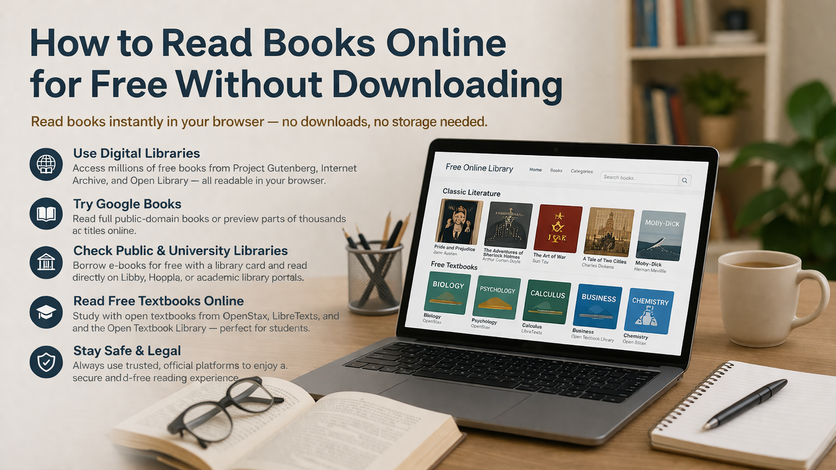
How to Read Books Online for Free Without Downloading
Reading books online for free without downloading has become one of the simplest and most practical ways to access knowledge, literature, textbooks, and research materials. For many people, it is not just a convenience it is a necessity. Some readers have limited storage on their devices, others use shared computers, and many prefer the speed and ease of opening a book instantly in a browser.
Today, students, researchers, professionals, and casual readers can access thousands of books legally without saving files. From digital libraries and open textbook platforms to academic databases and public archives, there are reliable ways to read directly online.
This guide explains where to read books online for free without downloading, what types of books you can access, and how to do it safely and efficiently.
Why Read Books Online Without Downloading?
1. Saves Storage Space
Many devices especially phones and budget laptops have limited storage. Reading in a browser eliminates the need to store large PDF or EPUB files.
2. Faster and More Convenient
No need to manage files, apps, or formats. You can open a book instantly and start reading.
3. Works on Shared Devices
If you’re using a school computer, cyber café, or office system, downloading may not be allowed. Browser reading solves this.
4. Safer Experience
Downloading from unknown websites can expose you to malware or poor-quality files. Trusted platforms offer a safer alternative.
5. Ideal for Quick Reference
You can quickly search, skim, or read specific sections without needing the full book.
Is It Legal to Read Books Online for Free?
Yes if you use legitimate sources.
Books are legally available for free when:
- They are in the public domain
- They are open access or openly licensed
- Your library provides access
- Authors or publishers offer free editions
- Platforms provide legal borrowing systems
Always avoid suspicious websites offering copyrighted books without permission.
1. Project Gutenberg
One of the oldest and most trusted platforms for free reading.
What You Can Read
- Classic literature
- Philosophy
- History
- Essays and speeches
Why It’s Great
- 100% legal
- No login required
- Easy browser reading
Best for: Authors like William Shakespeare, Jane Austen, and Mark Twain.
2. Internet Archive
A massive digital library with millions of books.
What You Can Read
- Academic books
- Old textbooks
- Rare and out-of-print books
- Research materials
Key Feature
Built-in browser reader no download needed. Some books require borrowing but can still be read online.
3. Google Books
A powerful tool for reading and researching books online.
What You Can Do
- Read full public-domain books
- Preview copyrighted books
- Search inside books
Best Use
- Checking chapters
- Finding quotes
- Reviewing content before borrowing
4. Open Library
A platform aiming to catalog every book ever published.
Features
- Browser-based borrowing
- Large searchable database
- Online reading without downloads
Ideal for temporary access to books.
5. Public Library Web Readers
Many libraries allow online reading through web-based systems.
Popular Apps & Platforms
- Libby
- Hoopla
- OverDrive
What You Can Read
- Novels
- Nonfiction
- Biographies
- Professional books
Bonus: Often includes newer titles for free with a library card.
6. University Library E-Book Platforms
For students, this is one of the best options.
What You Get
- Academic textbooks
- Research books
- Scholarly publications
Platforms Include
- JSTOR
- Springer
- Oxford University Press
Benefits
- Read in-browser
- Search inside books
- Access chapters instantly
7. OpenStax
A top source for free academic textbooks.
Best For
- Science
- Math
- Business
- Social sciences
Why Use It
- Completely free
- High-quality content
- Browser-friendly format
8. LibreTexts
Ideal for technical and science-based learning.
Strengths
- Easy online navigation
- Topic-based structure
- Strong STEM coverage
9. Open Textbook Library
A curated collection of academic textbooks.
Highlights
- Faculty-reviewed
- Wide subject coverage
- Reliable academic quality
10. Directory of Open Access Books (DOAB)
A trusted source for scholarly books.
Best For
- Advanced study
- Research
- Academic writing
11. OAPEN
Focuses on research-level books.
Ideal For
- Graduate students
- Dissertation research
- Academic analysis
12. ManyBooks and Similar Platforms
ManyBooks
Provides:
- Classic literature
- Public-domain works
- Indie books
Most titles can be read directly online.
13. Government and Institutional Resources
Organizations like:
- World Health Organization
- UNESCO
- World Bank
Offer free online publications.
Best For
- Policy
- Health
- Economics
- Education
14. How to Search for Books Online (Without Downloading)
Use Smart Search Queries
- read [book title] online free
- [topic] open access book
- [subject] textbook online free
Use Site-Specific Searches
-
site:archive.org [book] -
site:books.google.com [topic]
Search by Topic Instead of Title
If the exact book isn’t available, find alternatives covering the same subject.
15. Tips for Comfortable Online Reading
- Use reader mode in your browser
- Adjust font size and zoom
- Enable dark mode at night
- Take notes in tools like Google Docs or Notion
- Bookmark pages for easy return
16. Advantages of Reading Online
- No downloads required
- Works across devices
- Easy keyword search
- Safer browsing
- Less device clutter
17. Limitations to Consider
- Requires internet access
- Some books are limited previews
- Borrowing limits on some platforms
- Scanned books may be harder to read
18. How to Stay Safe
Stick to Trusted Platforms
Use sites like:
- Project Gutenberg
- Internet Archive
- Google Books
Avoid Suspicious Websites
Be cautious if a site:
- Has too many pop-ups
- Asks for unusual permissions
- Offers brand-new books for free without explanation
19. Best Platforms by Reader Type
For Students
- OpenStax
- LibreTexts
- University libraries
For Casual Readers
- Project Gutenberg
- ManyBooks
For Researchers
- JSTOR
- Directory of Open Access Books
Final Thoughts
Reading books online for free without downloading is one of the most efficient ways to access knowledge today. Whether you’re studying, researching, or reading for pleasure, there are many trusted platforms that allow instant browser-based access.
You don’t always need to download a file to learn deeply. With the right tools and sources, your browser can become a complete digital library.
Quick List: Best Platforms
- Project Gutenberg
- Internet Archive
- Open Library
- Google Books
- Public library web readers
- University e-book platforms
- OpenStax
- LibreTexts
- Open Textbook Library
- Directory of Open Access Books
- OAPEN