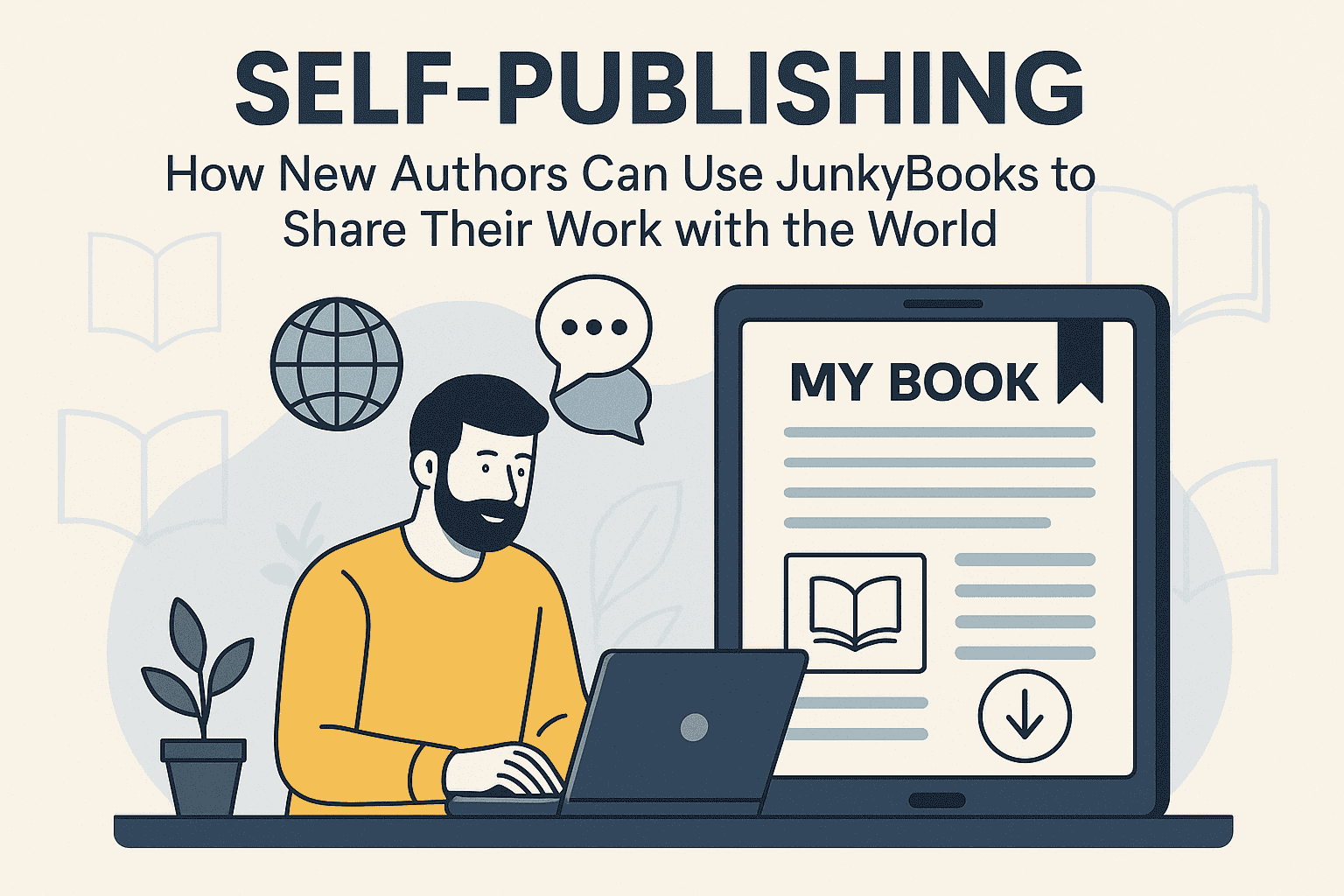
Self-Publishing for New Authors: How to Use JunkyBooks to Share Your Work with the World
Introduction: The New Age of Self-Publishing
For decades, getting published meant chasing traditional publishers, sending query letters, and collecting rejection emails. Today, things have changed. Self-publishing has opened the doors for new authors to share their ideas, stories, and expertise with readers around the world—quickly, affordably, and on their own terms.
JunkyBooks.com is part of this new wave of digital libraries and free ebook platforms. It allows writers to:
-
Upload their books
-
Reach readers across countries and languages
-
Make their work available for free downloads or online reading
-
Build a loyal audience without the friction of paywalls
If you’re a new author wondering how to get your book into the hands of real readers, JunkyBooks can be your launchpad. This guide walks you through:
-
Why self-publishing on JunkyBooks is a smart move
-
How to prepare your manuscript for digital publishing
-
Step-by-step publishing on JunkyBooks
-
How to promote your book and grow your author brand
-
Tips for long-term success as a self-published writer
1. Why Self-Publishing on JunkyBooks Is Perfect for New Authors
1.1 No Gatekeepers, No Waiting
Traditional publishing can take months or years. You submit your manuscript, wait for reviews, edit endlessly, and still might receive a rejection.
On JunkyBooks, you control the timeline:
-
Finish your manuscript
-
Format it for digital reading
-
Upload it to the platform
-
Your book can be live and accessible to readers in a very short time
For new authors, this speed is invaluable—you can test ideas, experiment with genres, and learn from real readers instead of waiting on industry approval.
1.2 A Free, Reader-Friendly Ecosystem
JunkyBooks focuses on free books, which makes it highly attractive to readers on a budget—students, young professionals, avid readers from different parts of the world, and anyone who loves discovering new voices.
By placing your book in a free digital library:
-
You remove the biggest barrier to entry: price
-
You can reach readers in countries where purchasing ebooks is difficult or expensive
-
You increase the chances of getting downloads, reads, and word-of-mouth recommendations
For a first-time author, visibility and readership are often more valuable than immediate sales.
1.3 A Platform Built for Discovery
Because JunkyBooks is centered around free ebooks, users come with a discovery mindset. They’re actively looking for:
-
New authors
-
New genres
-
Hidden gems and fresh writing
As a new author, this is exactly the kind of audience you want: open-minded, curious, and willing to give your book a chance.
1.4 Easy Publishing + Community-Oriented Features
JunkyBooks is more than “upload and forget.” The platform also supports:
-
Book publishing – so authors can upload and share their work
-
Reading online – so users can read directly in the browser
-
Free download options – for offline reading
-
Book requests – so you can see what kinds of books readers want and write to meet that demand
This combination transforms JunkyBooks into a two-way bridge: you share your work, and the community tells you what they love, need, and want more of.
2. Preparing Your Manuscript for Self-Publishing
Before you upload your book to JunkyBooks, you need to make sure it’s readable, polished, and professional. Even though it’s “free,” readers still expect quality.
2.1 Define Your Audience and Book Goal
Ask yourself:
-
Who is this book for? (Teens, young adults, professionals, hobbyists?)
-
What problem does it solve or what experience does it offer?
-
Is your main goal exposure, email list growth, brand building, or future sales?
Your answers will shape:
-
The tone of your writing
-
The length of the book
-
The call-to-action you include inside (e.g., “Join my newsletter,” “Visit my website,” or “Follow me on social media”)
2.2 Edit and Proofread Thoroughly
Nothing pushes readers away faster than:
-
Typos
-
Confusing sentences
-
Unclear structure
Even if you can’t hire a professional editor, you can still:
-
Self-edit in multiple rounds
-
Use tools like spell-checkers and grammar checkers
-
Read your work aloud to catch awkward phrasing
-
Ask trusted friends or beta readers to give feedback
Treat your free ebook like a professional product—because it represents your brand.
2.3 Format for Digital Reading
Digital reading is different from print. On screens, readers prefer:
-
Short paragraphs
-
Clear headings and subheadings
-
Bullet points and numbered lists
-
Plenty of white space
When preparing your manuscript:
-
Use a clean, readable font (e.g., Times New Roman, Arial, Calibri before conversion to PDF)
-
Maintain consistent heading levels: H1 for title, H2 for main sections, H3 for subsections
-
Make sure page breaks are clean (especially between chapters)
You’ll likely upload your book in PDF or a similar format, so check:
-
That your table of contents is correct
-
That your page numbers are accurate (if you use them)
-
That all images (if any) are properly aligned and not blurry
2.4 Create a Strong Title and Subtitle
Your title and subtitle act like your book’s billboard on JunkyBooks.
A good title:
-
Is clear and specific
-
Matches genre expectations (e.g., “The Last Oracle” for fantasy, “Digital Marketing Basics for Beginners” for non-fiction)
A good subtitle:
-
Adds clarity and keywords
-
Explains what the reader will get
Examples:
-
Title: “The Freelance Blueprint”
Subtitle: “A Beginner’s Guide to Landing Clients and Building a Sustainable Online Career” -
Title: “Lost in the Neon City”
Subtitle: “A Cyberpunk Thriller About Secrets, Survival, and AI”
Think about the keywords your ideal reader might search for: “free romance ebook,” “beginner coding guide,” “African short stories,” “motivational book for students,” etc. Use them naturally in your title or subtitle.
2.5 Design an Eye-Catching Cover
Even on a free platform, readers still judge books by their covers.
You can:
-
Use simple graphic tools (like Canva) to create a clean, professional cover
-
Choose colors and imagery that reflect your genre
-
Make the title and author name easy to read, even as a small thumbnail
A good cover can dramatically increase:
-
Click-through rates
-
Downloads
-
Perceived value of your work
3. How to Self-Publish Your Book on JunkyBooks (Step-by-Step)
Note: The exact interface may vary, but the general process follows steps like these. Adjust to match your actual upload flow on JunkyBooks.
3.1 Create Your JunkyBooks Author Account
-
Go to JunkyBooks.com.
-
Sign up or log in as a user.
-
Locate the “Publish” or “Upload Book” area in your dashboard or main menu.
Having a dedicated account helps you:
-
Track your uploaded books
-
Update files and descriptions
-
Interact with the community (where applicable)
3.2 Prepare Your Files
Make sure you have:
-
Your final manuscript saved as PDF (and/or other formats your platform supports)
-
Your book cover image (JPG/PNG, in appropriate dimensions)
-
Your book description, tags/keywords, and category ready to paste
Organizing these in a folder on your computer makes the upload process faster and smoother.
3.3 Upload Your Manuscript
On the upload page:
-
Click “Upload Book” or similar.
-
Select your manuscript file.
-
Upload your cover image.
-
Add the book title and subtitle exactly as you want them displayed.
Check that the file:
-
Opens correctly
-
Is not password protected
-
Doesn’t contain visible “draft” or “sample” watermarks unless that’s intentional
3.4 Write a Compelling Book Description
Your book description is your sales pitch, even on a free platform.
Structure it like this:
-
Hook (2–3 lines) – A strong opening that grabs attention.
-
Brief overview – What is the book about? Who is it for?
-
Benefits – What will readers learn, feel, or experience?
-
Call-to-action – Encourage them to download, read, and share.
Example (Non-fiction):
Are you tired of feeling stuck in your career?
“The Freelance Blueprint” is a practical step-by-step guide for beginners who want to build a sustainable freelance business from scratch. Inside, you’ll learn how to choose a niche, find your first clients, set your rates, and stay productive while working from home.
Whether you’re a student, a 9–5 professional, or a stay-at-home parent, this book will help you turn your skills into income.
Download it free on JunkyBooks and start your freelance journey today.
Include a few keywords naturally, like:
-
“free career ebook”
-
“freelance guide for beginners”
-
“digital marketing tips”
…but always keep it readable and human-focused.
3.5 Choose Relevant Categories and Tags
JunkyBooks likely organizes books by categories and tags so readers can find what they’re looking for.
Pick:
-
1–3 main categories that accurately describe your book (e.g., Fiction > Romance; Non-fiction > Self-Help; Education > Study Guides)
-
5–10 tags that include important keywords like:
-
Genre (thriller, fantasy, romance, sci-fi, memoir)
-
Target audience (teens, young adults, entrepreneurs, students)
-
Topic/Theme (productivity, personal growth, coding, spirituality, finance)
-
Good tagging helps your book appear in:
-
Internal searches
-
Category-based browsing
-
Recommendation sections (if available)
3.6 Set Availability: Read Online, Download, or Both
One powerful feature of platforms like JunkyBooks is the option to let readers:
-
Read online in their browser
-
Download a copy for offline reading
Allowing both options usually leads to higher engagement, because:
-
Some readers prefer quick, in-browser reading
-
Others want to save the book for later
For maximum reach, enable free online reading and free download.
3.7 Publish and Test Your Book Page
Once your book is live:
-
Visit your book page as a normal reader.
-
Check:
-
Does the cover look good as a thumbnail and full-size?
-
Is the description formatted correctly?
-
Do the categories and tags make sense?
-
Does the PDF open and read properly?
-
If something looks off, edit and re-upload immediately. This is your digital “bookstore shelf,” so presentation matters.
4. How to Promote Your Self-Published Book on JunkyBooks
Publishing is only half the story. To truly share your work with the world, you need promotion.
4.1 Share on Social Media
Post your JunkyBooks link on:
-
Facebook (personal profile, author page, relevant groups)
-
X / Twitter
-
LinkedIn (especially if it’s non-fiction or career-focused)
-
Instagram (use a visual of your cover + quote from the book)
-
WhatsApp or Telegram groups (where appropriate)
Tips:
-
Use a clear CTA: “Download my free ebook on JunkyBooks”
-
Highlight the benefit: “Free guide for new freelancers / students / young professionals”
-
Encourage readers to share the link with friends
4.2 Use Your Existing Network
Tell:
-
Friends
-
Family
-
Colleagues
-
Former classmates
-
Clients
People who know you personally are often happy to support your work—especially if the book is free and easy to access.
You can say:
“Hi, I just published my first ebook on JunkyBooks. It’s free to read and download. I’d love your feedback and support—please share it with anyone who might find it useful!”
4.3 Start or Grow an Email List
Inside your book (especially near the front and back), include a call-to-action like:
“Enjoying this book? Join my email list for more free resources, updates, and future books.”
Link to:
-
Your website
-
A simple signup form
-
A landing page on a newsletter platform (e.g., Mailchimp, Substack, etc.)
JunkyBooks helps you get discovered, but your email list helps you build long-term relationships with readers.
4.4 Ask for Reviews and Feedback
If the platform supports ratings or comments, ask readers to leave a review.
You can say in your book and on social posts:
“If you read and enjoy the book, please leave a review on JunkyBooks—it helps more people discover it.”
Reviews:
-
Boost trust
-
Improve click-through rates
-
Give you insight into what readers like (or want improved)
4.5 Write More Books or Spin-Offs
One of the best ways to promote a book is to write another book.
You can:
-
Create a series (Book 1, Book 2, Book 3)
-
Write a companion workbook or guide
-
Create short stories set in the same fictional universe
-
Publish themed collections (e.g., “10 Short Stories from Lagos,” “Productivity Tips for Students,” etc.)
Each new book on JunkyBooks becomes an additional entry point into your world, leading readers back to your other titles.
5. Using JunkyBooks Strategically as a New Author
5.1 Build a Portfolio as an Emerging Writer
Think of your JunkyBooks profile as your author portfolio.
You can link to it when:
-
Pitching guest posts
-
Applying for writing gigs
-
Contacting agents in the future
-
Introducing yourself to collaborators
Having multiple published works—especially if they’re well-presented—shows you’re serious, consistent, and committed.
5.2 Test Ideas Before Going to Print
Unsure whether a concept has potential? Publish a free digital version on JunkyBooks and track:
-
How many downloads/reads it gets
-
How people respond
-
What feedback they share
If the response is strong, you might later:
-
Release an expanded edition
-
Create a print-on-demand version
-
Turn it into a course, workshop, or podcast series
5.3 Use Free Books to Support Your Brand or Business
If you’re a:
-
Coach
-
Consultant
-
Trainer
-
Freelancer
-
Educator
…you can use free ebooks on JunkyBooks as lead magnets.
For example:
-
A career coach can publish “10 Steps to Write a Winning Resume”
-
A digital marketer can share “Beginner’s Guide to Social Media Strategy”
-
A teacher can offer “Study Hacks for High School Students”
At the end of the book, direct readers to:
-
Your website
-
Your paid services
-
Your webinars, courses, or workshops
JunkyBooks gives you the audience and reach; your brand gives readers more ways to connect and work with you.
6. Common Mistakes New Authors Make (and How to Avoid Them)
6.1 Uploading Unedited, Rough Drafts
Don’t assume “free” means “low quality.” Readers can tell when a book has not been edited. Always:
-
Proofread
-
Edit for clarity
-
Fix formatting
Your reputation as an author is on the line.
6.2 Weak or Vague Book Descriptions
A lazy description like “This is a book about life and experiences” won’t attract readers.
Instead:
-
Be specific about what the book offers
-
Speak directly to your ideal reader
-
Make the benefit clear
6.3 Poor Cover Design
A pixelated, cluttered, or confusing cover can sabotage even the best book.
Aim for:
-
Simplicity
-
Clear typography
-
Strong visual focus
6.4 Forgetting a Call-to-Action
Many authors end their books with “The End” and nothing else.
Use the end of your book to:
-
Invite readers to follow you on social media
-
Join your mailing list
-
Check out your other books
7. Frequently Asked Questions (FAQ)
You can add this section for SEO and user value.
Q1: Do I need to pay to publish my book on JunkyBooks?
JunkyBooks is designed as a free digital library platform focused on free books. As a new author, this typically means you can upload and share your work without paying a traditional publishing fee. Always check the latest terms on the website for specific details.
Q2: Can I later sell my book elsewhere if I publish it free on JunkyBooks?
In most self-publishing scenarios, as long as you own the rights to your work, you can choose to:
-
Keep a free version on JunkyBooks
-
Sell an expanded or premium edition elsewhere
-
Offer print or audiobook versions
Just ensure you’re not violating any exclusive agreement if you sign one in the future.
Q3: What kind of books work best on JunkyBooks?
Because it’s based on free access, JunkyBooks is great for:
-
Fiction (novels, novellas, short stories)
-
Non-fiction (guides, self-help, career tips, tech, education)
-
Student-friendly materials (study guides, essays, revision notes)
-
Passion projects (poetry, personal essays, inspirational stories)
Q4: Can I publish multiple books?
Yes—publishing multiple books is actually a great strategy. Each book can link to your other titles, boosting your overall visibility and reader engagement.
Conclusion: Let JunkyBooks Be Your Gateway to the World
Self-publishing is no longer a backup plan—it’s a powerful, legitimate way for new authors to:
-
Share their message
-
Build a global audience
-
Develop a unique author brand
-
Experiment, learn, and grow with real readers
JunkyBooks.com gives you the tools and platform to get started:
-
Free ebook publishing
-
Online reading and downloads
-
A community of readers who love discovering new books
You don’t need a big budget, a literary agent, or a famous name. You need:
-
A finished, polished manuscript
-
A clear understanding of your readers
-
A compelling cover and description
-
The courage to hit “publish”
If you’ve been sitting on a story or idea for months—or years—this is your sign:
Turn your manuscript into a published book on JunkyBooks and share your work with the world.