Global Reading on a Budget: Build a Massive Free Digital Library Legally
Building a huge, high-quality reading library doesn’t require a big budget. It requires a smart system a repeatable pipeline that helps you discover books, access them legally, and read them seamlessly across devices, online and offline.
In an era where knowledge is increasingly digital, readers who understand how to navigate public-domain works, open-access publishing, and library lending can assemble thousands of books without spending a dollar. The key is not random downloading, but intentional curation.
This guide walks you step by step through how to build a massive personal digital library using free and legal resources, combining discovery platforms like JunkyBooks with public-domain repositories, open-access libraries, and modern reading tools.
Why a Zero-Cost Digital Library Is Possible Today
For most of history, access to books was limited by geography, money, and physical storage. Today, three forces have changed that permanently:
-
Copyright expiration, placing millions of classic works into the public domain
-
Open-access publishing, where authors and institutions release books freely by design
-
Digital libraries and lending platforms, funded by public institutions
When used together, these create a powerful ecosystem where reading becomes limited only by your curiosity not your wallet.
1) Start With Discovery: Using JunkyBooks to Find Free Ebooks in All Genres
The biggest challenge with free reading isn’t availability it’s discovery.
Free books are scattered across dozens of sites, formats, and licensing models. Searching randomly often leads to poor quality, broken links, or questionable legality. This is where a discovery hub becomes essential.
What JunkyBooks Is Good For
JunkyBooks works best as a front door to free reading. Instead of hunting across the web, you can browse books by:
-
Genre (fiction, nonfiction, academic, niche topics)
-
Mood and reading style
-
Popularity and trending interests
-
Specialized or overlooked categories
Rather than hosting pirated content, JunkyBooks helps readers find books and then directs them toward legitimate reading sources.
A Practical Way to Use JunkyBooks
When building a large library, don’t start with individual titles. Start with genres.
Genres let you build complete “shelves” quickly:
-
Classics
-
Romance
-
Mystery & crime
-
Science fiction & fantasy
-
History
-
Philosophy
-
Self-improvement
-
Academic and technical subjects
Workflow that scales:
-
Browse by genre on JunkyBooks
-
When a book looks promising, add it to a simple “To Download” list (notes app or spreadsheet)
-
Retrieve the book from a public-domain or open-access source in your preferred format (EPUB, PDF, Kindle)
Prefer Books With Clear Availability
When browsing anywhere online, prioritize:
-
Public-domain works (copyright expired)
-
Open-access books with Creative Commons or similar licenses
-
Books explicitly offered for free by authors or publishers
Important Note on Legality
“Free” does not automatically mean “legal.”
Avoid sites that:
-
Offer recent commercial books for free with no licensing explanation
-
Remove copyright notices
-
Require suspicious downloads or aggressive ads
If a source clearly states public domain, open access, or library lending, you’re on safe ground.
2) Combine Public-Domain Libraries and Open-Access Sources
The most powerful free reading systems work in layers:
-
Layer A: Public domain – copyright expired, fully legal to download and share
-
Layer B: Open access – copyrighted but intentionally released for free
-
Layer C: Library lending – modern books borrowed digitally
Used together, these layers give you both breadth and depth.
Layer A: Public-Domain Powerhouses
Public-domain libraries are ideal for building volume fast thousands of titles across literature, history, philosophy, and science.
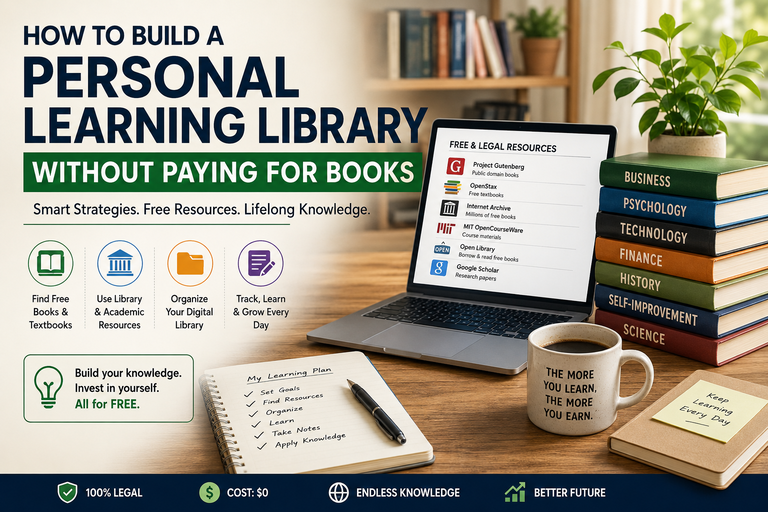
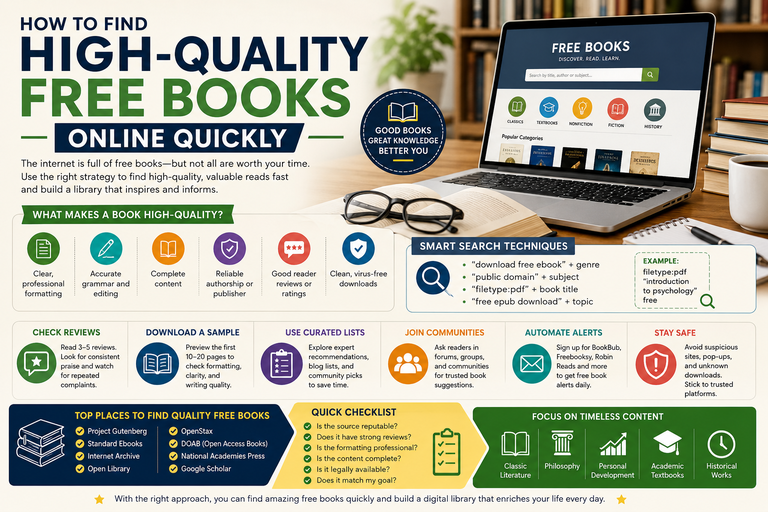
Project Gutenberg
A cornerstone of digital reading, offering clean, well-formatted EPUB and Kindle files. Ideal for classic literature and foundational texts.
Internet Archive
A vast digital archive containing public-domain downloads, rare books, and a controlled digital lending system for borrowable titles.
HathiTrust
A massive collaboration between academic libraries. Many titles are fully viewable and downloadable when they fall into the public domain.
Wikisource
Excellent for web-based reading of public-domain and freely licensed texts, with strong editorial standards.
Layer B: Open-Access and Openly Licensed Books
Open-access books are modern, high-quality, and intentionally free especially valuable for students and lifelong learners.
Directory of Open Access Books (DOAB)
A curated catalog of peer-reviewed books from universities and academic publishers.
OAPEN
Strong in humanities and social sciences, offering full-text academic books.
OpenStax
One of the best resources for free, professionally written textbooks in math, science, and social sciences.
Open Library
Combines public-domain books with a borrowing system for copyrighted titles.
Layer C: Free Borrowing via Your Library
For current bestsellers and newer nonfiction, borrowing is the legal zero-cost option.
Libby / OverDrive
Borrow ebooks and audiobooks with a library card. Syncs across devices and supports offline reading.
Hoopla
Offers ebooks, audiobooks, comics, and media. Availability depends on your library system.
Many libraries offer digital-only cards, making access easier than ever.
3) Use Online Reading Tools for Smooth, Cross-Device Reading
Once you’ve collected books, the next challenge is frictionless reading.
You don’t need dozens of apps just:
-
One primary reading app
-
One library management tool
Recommended Free Reading Tools
Kindle App (iOS / Android / Desktop)
Excellent syncing and reading experience, even if you didn’t buy books from Amazon.
Google Play Books
Upload your own EPUBs and PDFs and read anywhere with cloud sync.
Apple Books
Great EPUB and PDF support for Apple users.
KOReader
A powerful open-source reader, especially strong for PDFs and e-ink devices.
Calibre (Desktop)
The backbone of a serious digital library organize, convert, edit metadata, and manage thousands of books.
You don’t need all of these. Pick what fits your devices and habits.
4) Tips for Organizing Your Digital Library Like a Pro
A massive free library is only valuable if you can find what you want quickly.
Perfection isn’t the goal consistency is.
A Simple Organization Stack That Works
Step 1: Choose a Library Home Folder
Step 2: Standardize File Names
Example:
Step 3: Fix Metadata Only When Needed
Use Calibre to:
-
Correct title and author
-
Add series information
-
Apply tags
-
Add covers
This becomes invaluable once your library reaches hundreds or thousands of books.
Use “Shelves” That Match How You Choose Your Next Book
Useful tags include:
-
Difficulty: Light / Medium / Heavy
-
Length: Short / Standard / Long
-
Mood: Cozy / Dark / Reflective / Adventurous
-
Purpose: Study / Leisure / Reference
When you’re tired or busy, these tags make choosing your next book effortless.
Avoid Duplicates and Chaos
-
Keep one master copy of each book
-
Store converted formats separately:
This keeps your core library clean.
5) How to Read Offline and Manage Storage (Without Losing Your Mind)
Offline access is where a zero-cost digital library truly shines perfect for commuting, travel, or unreliable internet.
Offline Reading Workflows
Option A: Phone or Tablet First
-
Download EPUB/PDF
-
Open in your reading app
-
Rotate finished books back to cloud or computer
Option B: E-Reader First
-
Use Calibre to send books to Kindle/Kobo
-
Keep a rotating “currently reading” shelf
Option C: Cloud + Offline Pinning
-
Store everything in cloud storage
-
Pin only current reads for offline use
Storage Rules of Thumb
-
EPUB files are small and efficient
-
PDFs can be large, especially scanned texts
-
Audiobooks consume the most space
Best Practices:
-
Prefer EPUB when possible
-
Keep large PDFs archived
-
Maintain a rotation habit:
-
Offline: 10–30 books
-
Archive: everything else
-
Why This System Works
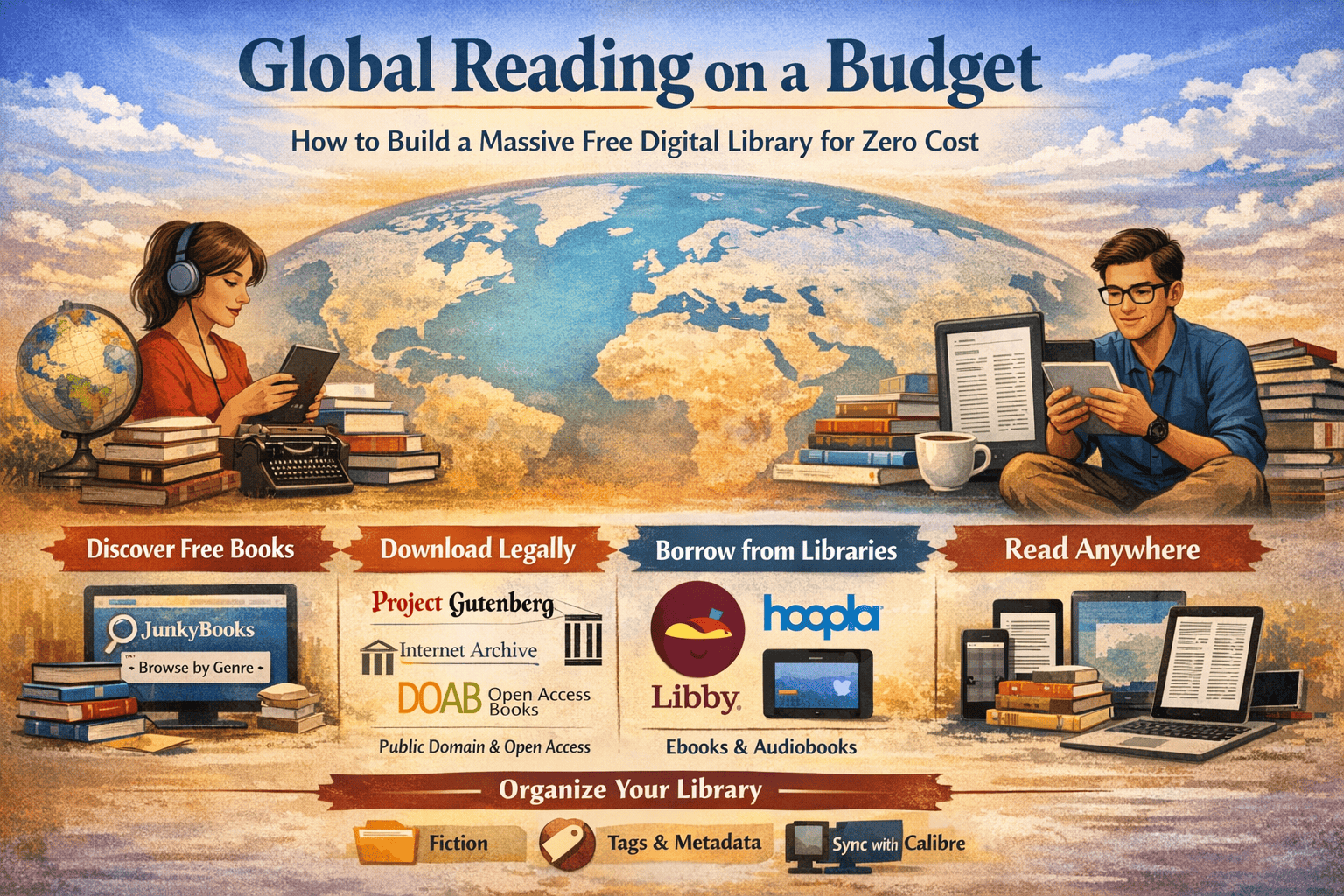
This approach succeeds because it separates reading into four repeatable actions:
-
Discover books efficiently (JunkyBooks)
-
Source them legally (public domain, open access, libraries)
-
Organize them simply (folders + metadata)
-
Read anywhere (offline-first workflows)
It’s ideal for:
-
Lifelong learners building a personal knowledge vault
-
Students assembling free textbooks and references
-
Budget-conscious readers who still want depth and choice
A Fast Weekend Plan to Build Your Library
If you want immediate results:
-
Choose 5 genres you actually read
-
Use JunkyBooks to list 20 titles per genre
-
Download them legally from trusted sources
-
Import everything into Calibre
-
Clean metadata for your top 25 reads
-
Load 10–20 books onto your device for offline reading
By Sunday night, you’ll have a real, functional digital library not just random files.